
- Who to ask
- Five reviewer questions
- AI chat safety
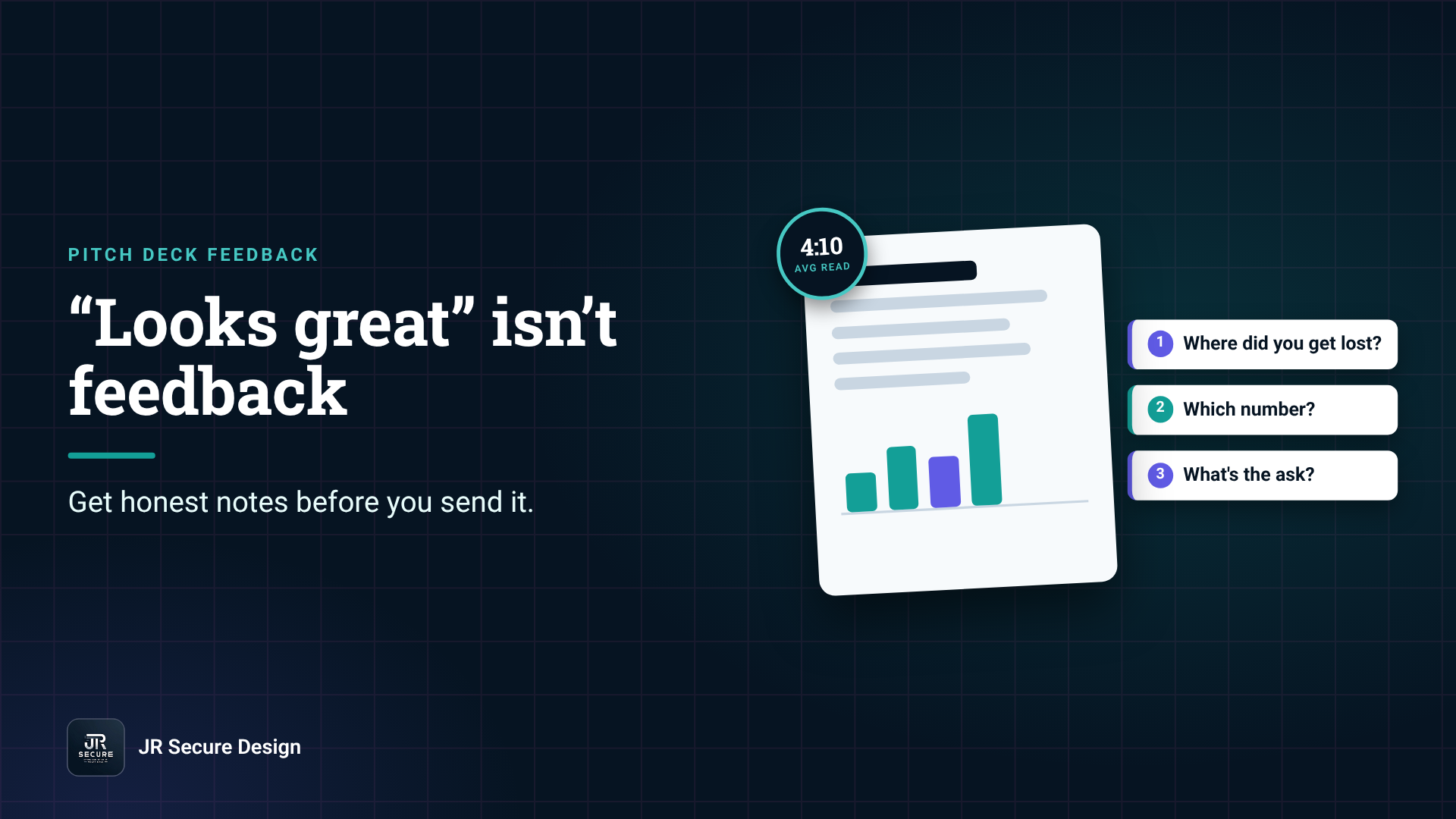
Good pitch deck feedback comes from people who don’t owe you a compliment. Give your deck to two or three readers who’ve never heard your pitch, time a short silent read, then ask what they remember, where they got lost and which number they doubted. Fix those three things before any investor sees the deck.
Key takeaways
- “Looks great” from friends isn’t feedback. You need readers who’ll tell you where they got lost.
- DocSend’s 2026 pre-seed guide puts the average investor read at 4 minutes and 10 seconds. Test your deck in that window.
- Ask three questions: what do you remember, where did you get lost, and which number didn’t you believe?
- Strip private numbers and customer names before pasting a deck into a consumer AI chat, or turn off training first.
- Fix the top three notes, then get one fresh reader to check the new version.
Where can I get feedback on my pitch deck?
Get feedback from three kinds of readers: a founder who has raised recently, someone who matches your customer, and a stranger to your pitch, such as a mentor or accelerator advisor. Each spots something different. Friends and co-founders are a last resort, because they already know the story your slides are supposed to tell.
The trouble with people who know you is that they fill the gaps in your deck from memory. An investor can’t. They only have the slides.
Here’s who to ask, and what each reader is good for.
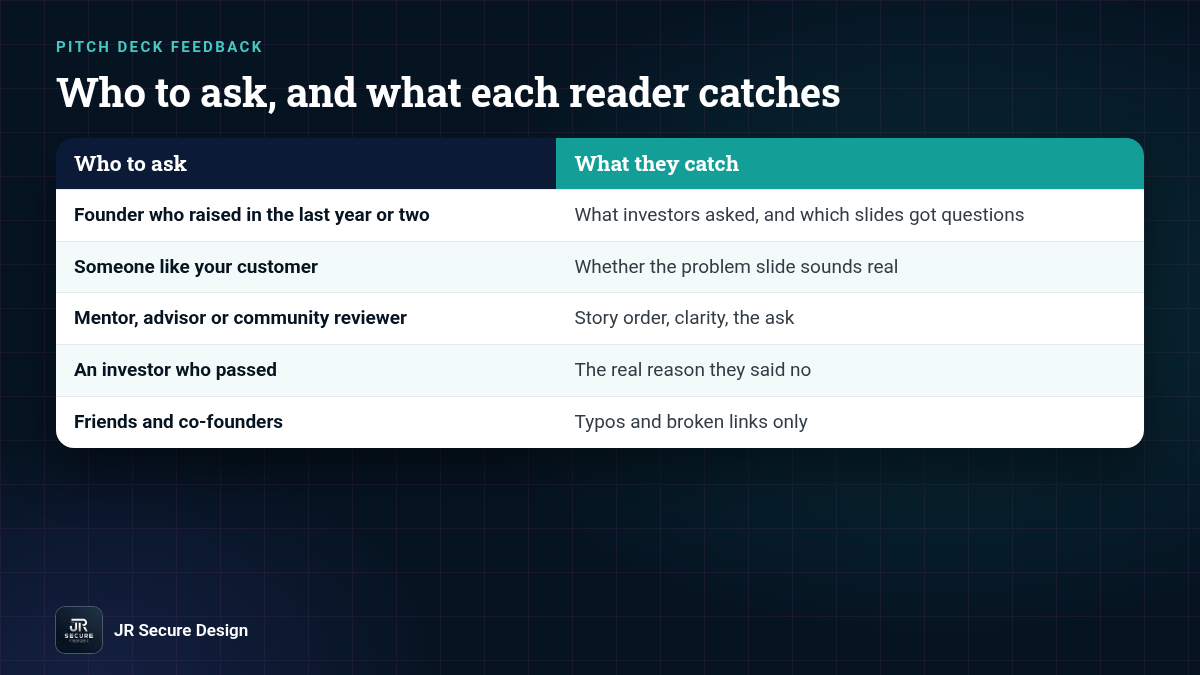
Who to ask for pitch deck feedback
| Reader | What they catch | How to ask |
|---|---|---|
| Founder who raised in the last year or two | What investors asked them, and which slides got questions | “Can I send you 10 slides for a 5-minute read?” |
| Someone like your customer | Whether the problem slide sounds real | “Is this a problem you’d pay to fix?” |
| Mentor, advisor or startup community reviewer | Story order, clarity, the ask | Ask for written notes, not a call |
| An investor who passed | The real reason they said no | DocSend’s own advice when an investor passes: “Ask for specific feedback” |
| Friends and co-founders | Typos and broken links | Use them for proofreading only |
How do I run a timed read?
Send the PDF exactly as an investor would get it, with no intro call and no explaining. DocSend’s pre-seed guide, updated February 24, 2026, reports that investors spend an average of 4 minutes and 10 seconds evaluating a pre-seed deck. Give your reader that long, then close the deck and ask what they remember.
If they can’t say what you do in one sentence, your first slide isn’t doing its job. DocSend’s same guide says investors spend about 33 seconds on the company purpose section, so that one line has to land fast.
What questions should I ask a pitch deck reviewer?
Ask questions that force a specific answer: What does this company do, in one sentence? Where did you get lost? Which number didn’t you believe? What would you ask before taking a meeting? And what is the ask? “Any thoughts?” gets you polite praise. Specific questions get you a fix list.
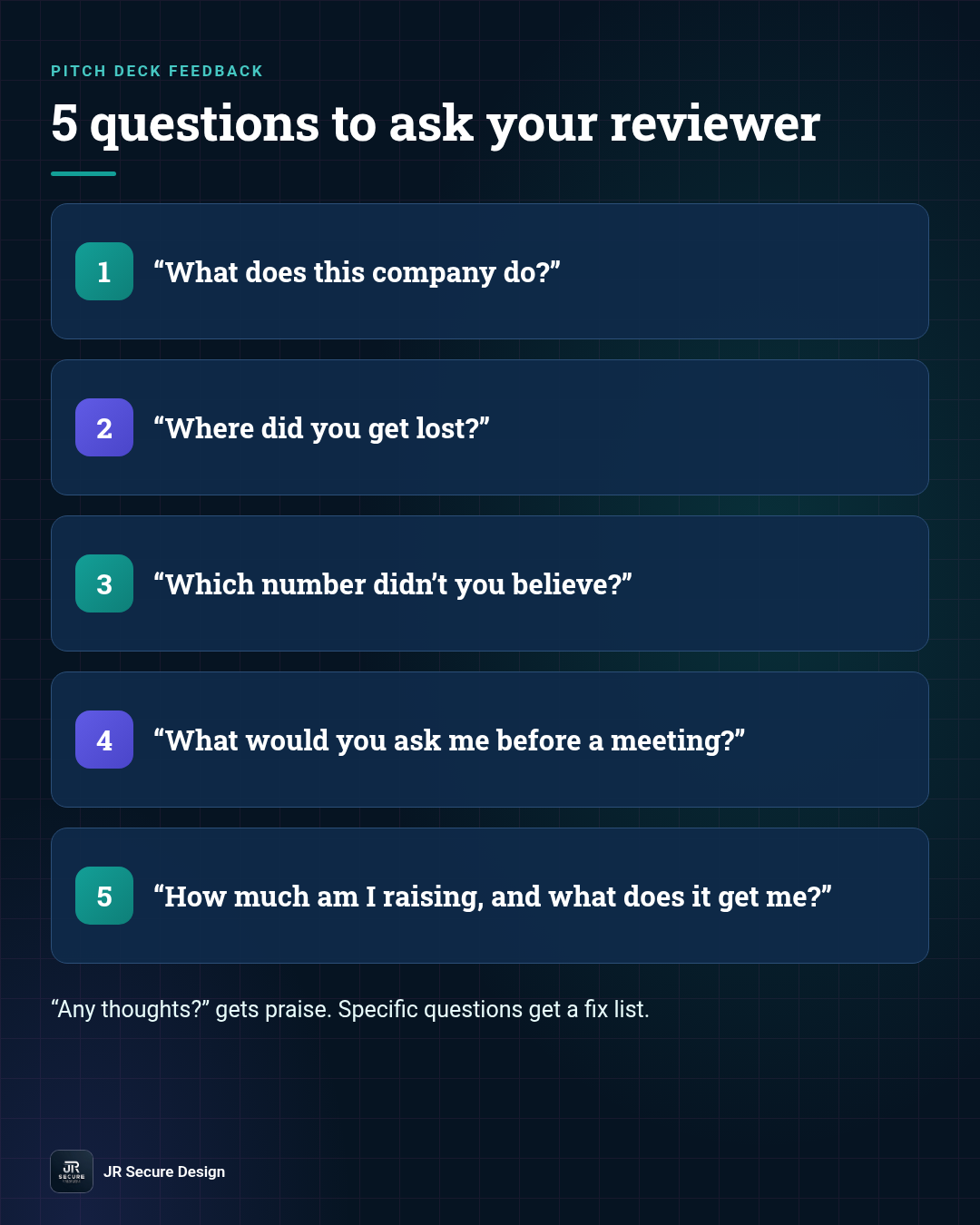
- “What does this company do?” If they can’t repeat it, rewrite slide one.
- “Where did you get lost?” The slide they name is your next fix.
- “Which number didn’t you believe?” Source it, explain it or cut it.
- “What would you ask me before a meeting?” Those questions belong in the deck or your appendix.
- “How much am I raising, and what does it get me?” If they’re not sure, your ask slide is too vague.
Y Combinator’s seed deck guide puts it simply: founders “should strive for clarity and concision.” Every question above is a clarity test.
What should I do with conflicting feedback?
Look for patterns, not votes. If two readers get lost on the same slide, fix that slide, even if a third reader liked it. If only one person raises a point, ask whether an investor would likely hit the same snag. Fix the top three notes, then test the new version on one fresh reader.
A one-afternoon feedback round
- Export the deck to PDF, the way investors get it. (Our PDF export guide covers fonts and file size.)
- Send it to two or three readers from the table above. Ask for a timed silent read of about four minutes.
- Ask the five questions. Write the answers down word for word.
- Circle anything two readers said. That’s your fix list.
- Fix the top three, then run the final checklist before you send.
Is it safe to paste my deck into a public AI chat?
It depends on the plan and settings. OpenAI says it may use content from its Free, Plus and Pro plans to train models unless you switch off “Improve the model for everyone,” while Business, Enterprise and API data isn’t used for training by default. Either way, remove private financials, customer names and cap tables first.
AI can be a useful first reader. It’s fast, it doesn’t get bored and it’ll tell you when a slide is wordy. But a pitch deck often holds the most sensitive numbers your company has, so treat it like any other confidential document.
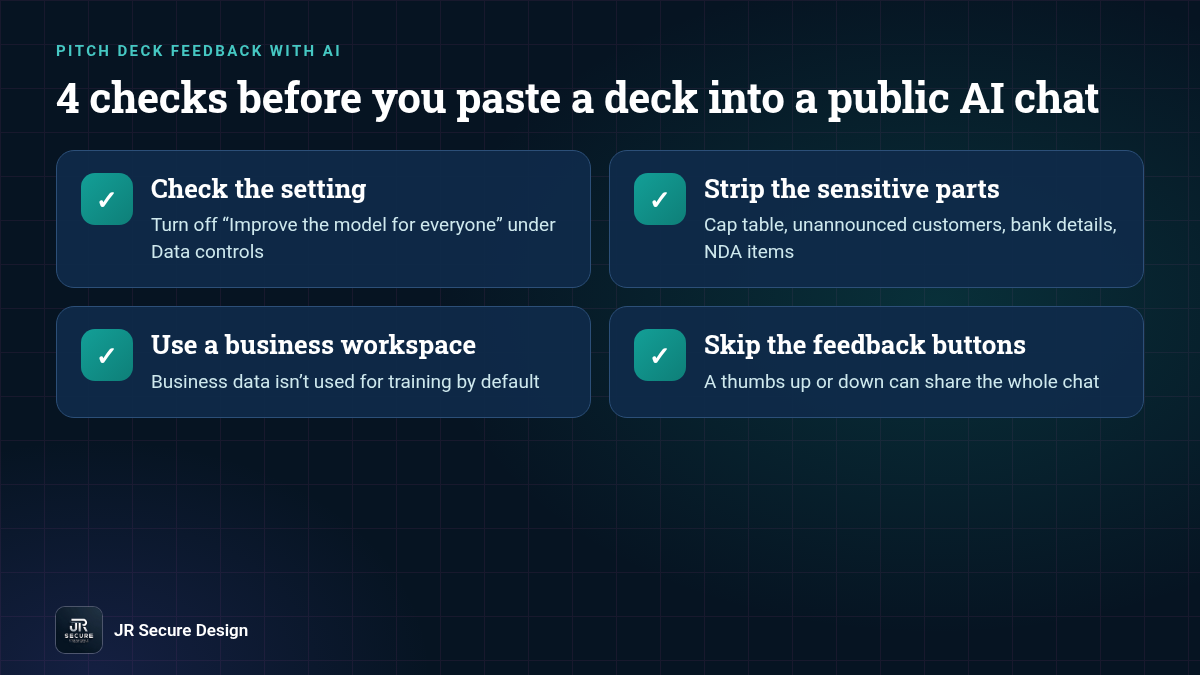
Before you paste a deck into any AI tool:
- Check the setting. In ChatGPT’s consumer plans, the training switch is under Settings > Data controls. OpenAI also says temporary chats aren’t used to improve its models.
- Strip the sensitive parts. Remove the cap table, unannounced customers, bank details and anything under NDA. AI can still judge the story and structure without them.
- Use a business workspace if your team has one. OpenAI’s enterprise privacy page says business data isn’t used for training by default.
- Remember feedback buttons. On individual plans, OpenAI says a thumbs up or thumbs down can let it use the whole conversation, even after you opt out.
If your company handles a lot of confidential material, read our guide to whether ChatGPT is safe for business or look at a private LLM for your business.
QUICK CHECK: Open the AI chat you used last week and look for the data controls setting. If “Improve the model for everyone” is on and your deck is in that history, turn it off now. It’s a two-minute fix, and it covers every new chat after it.
Want more on what goes inside the deck? Read the slides investors expect in a pre-seed pitch deck, common pitch deck mistakes and quick fixes and what investors look for at pre-seed.
Pitch deck feedback: frequently asked questions
What is pitch deck feedback?
Pitch deck feedback is a reader’s honest reaction to your deck: what they understood, where they got lost, what they doubted and what they’d ask next. The useful kind is specific and points to a slide. General praise like “looks great” isn’t feedback. It’s a reader being kind, and it won’t help you raise.
How many people should review my pitch deck?
Two or three fresh readers per round is enough. More than that and the notes start to conflict. Find readers who haven’t heard your pitch, give them the same timed read and the same questions, then look for points two of them share. After you fix those, use a new reader for the next round.
Should I ask investors for pitch deck feedback?
Asking an investor to review a deck before you pitch them can spend your one first impression. A better time is after a pass. DocSend’s 2026 pre-seed guide advises founders to “Ask for specific feedback” when an investor passes. Keep the request short, thank them and use what they tell you.
Can AI give useful pitch deck feedback?
Yes, for structure and clarity. An AI model can flag wordy slides, missing sections and a vague ask in seconds. It can’t tell you how a particular investor thinks, and it may agree with you too easily. Use AI as a first pass, remove sensitive data before you paste, then get human readers.
When should I get feedback on my pitch deck?
Get feedback before your first investor send and again after any big change, such as a new traction number, a new ask or a reworked story. Leave yourself a day or two to make fixes. A feedback round the night before a deadline mostly finds problems you won’t have time to fix.
Want honest notes on your deck?
Ask Sophia, our free AI advisor, your deck questions any time, and keep an eye out for Sophia’s free pitch deck review (coming soon). Prefer a person? Book a free 30-minute call and we’ll go through your deck with you.
Prefer the phone? Call (202) 892-7189. Or email sales@jrsdi.com.
Our AI work is aligned to the NIST AI RMF and ISO/IEC 42001.
Related reading: Pitch Deck Final Checklist · How to Submit a Pitch Deck · Startup Security Due Diligence Questions · Startups
If you can think it, we can build it securely. Artificial Intelligence · Security · Applications · Hardware · jrsecuredesign.com