
Ask, check, list. Then keep, kill or govern.
- 1-hour inventory
- Keep, kill or govern
- Turn it into a policy
Shadow AI is any AI tool, workflow or agent your team uses without official approval. You can find most of it in about an hour: ask your team, check your sign-in and app records, review browser extensions and connected apps, and list what you find. Then rank each item by the data it touches and decide whether to keep it, kill it or govern it.
Key takeaways
- 35% of AI-engaged small businesses found unapproved AI in the past six months (Pax8, Q3 2026).
- Most shadow AI is well meant. People are trying to save time.
- A 1-hour inventory finds most of it: ask, check, list.
- Rank by the data each tool touches, not by the tool’s name.
- Decide for each one: keep, kill or govern.
If you think your business doesn’t have shadow AI, you’re in good company, and you’re probably wrong. Pax8’s Q3 2026 SMB AI Pulse surveyed 1,150 small and midsized business leaders in the US, UK, Germany and Sweden. It found that 35% of AI-engaged businesses discovered AI tools, workflows or agents operating without official approval in the past six months alone (Pax8, Oct 12, 2026).
Review hasn’t kept up either. In the US, the same report found 36% of businesses building AI have formal, documented review of what they build. The rest rely on informal checks or none at all. That doesn’t mean your team is doing anything wrong. It means you can’t protect what you can’t see. Here’s how to see it.
Found more AI than you expected?
Book a 30-minute call and we will go through your list with you.
Or call (202) 892-7189. Or email sales@jrsdi.com.
Before you start: set the tone
Shadow AI is usually a sign of initiative, not bad intent. Someone found a tool that saves them two hours a week. If your inventory feels like a witch hunt, people will hide what they use and you’ll miss the riskiest items. Tell your team up front: “We’re making a list so we can keep the good tools and make them safe. Nobody’s in trouble.”
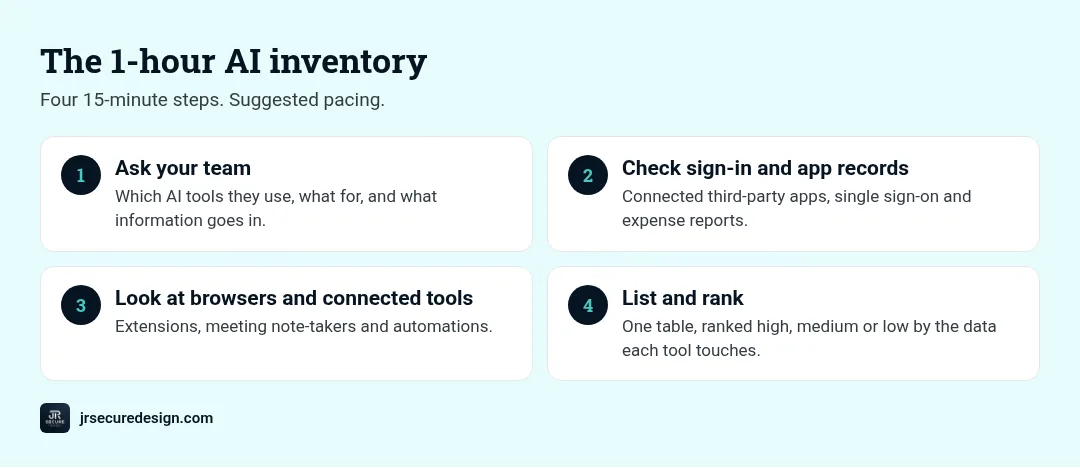
The 1-hour inventory
Step 1 (15 minutes): Ask your team
Send a short, friendly survey or bring it up at your next team meeting. Ask three questions:
- Which AI tools, chatbots or assistants do you use for work, even occasionally?
- What do you use them for?
- What kind of information do you put into them?
Make it easy to answer honestly. A shared form with an “anonymous” option works well.
Step 2 (15 minutes): Check your sign-in and app records
Your systems already know more than you think:
- Microsoft 365 or Google Workspace: review third-party apps users have granted access to their accounts. AI note-takers, writing assistants and calendar tools show up here.
- Single sign-on: if you use it, list every app connected in the last six months.
- Expense reports and card statements: small recurring charges often reveal AI subscriptions that nobody mentioned.
Step 3 (15 minutes): Look at browsers and connected tools
- Browser extensions on a few work computers. AI writing and summarizing extensions can read the pages people open.
- Meeting tools: AI note-takers that join calls automatically.
- Automations: workflows that send data to an AI service, set up by someone who’s since moved on.
Step 4 (15 minutes): List and rank
Put everything in one simple table: tool, who uses it, what for, what data it touches, and whether anyone approved it. Then rank each row:
- High risk: touches client data, financial details, health information, passwords or anything confidential.
- Medium risk: touches internal documents or business plans.
- Low risk: public information only, like rewording a blog post.
QUICK CHECK: Rank by the data, not the brand. A well-known tool fed client records is riskier than an unknown one used for public text.
Keep, kill or govern
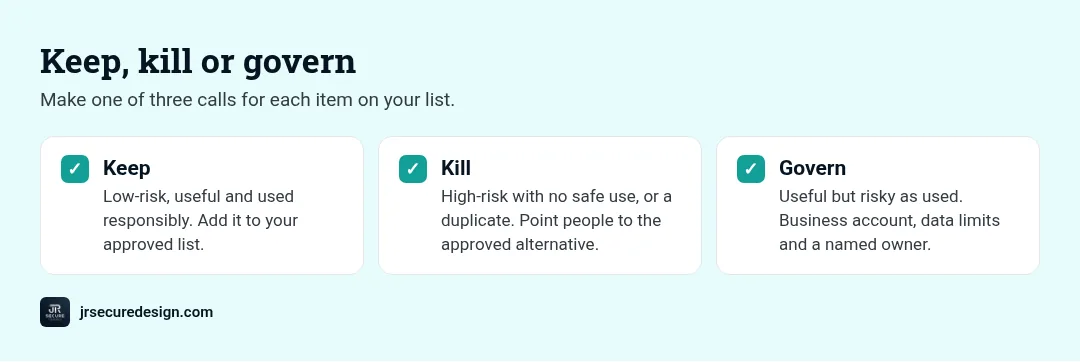
For each item on your list, make one of three calls:
Keep. Low-risk, useful and used responsibly. Add it to your approved list so people stop wondering.
Kill. High-risk with no safe way to use it, or a duplicate of something you already approve. Explain why, and point people to the approved alternative so they don’t just find another workaround.
Govern. Useful but risky as currently used. Keep it with guardrails: a business account instead of a personal one, limits on what data goes in, and a named owner who checks how it’s used.
Most items land in “govern”. That’s where the real value is: you keep the time savings and remove the surprise.
Turn the list into a policy
An inventory is a snapshot. A policy keeps it current. Write down which tools are approved, what data may never go into AI tools, and how someone asks for a new tool. Our free AI acceptable use policy template gives you a ready-made starting point. If you’re still not sure what to look for, read our guide to the signs of shadow AI in your company.
How often to repeat it
New AI tools appear every week, so run a quick version of this inventory every quarter and after any big change, like a new hire wave or a new software rollout. It gets faster each time, because your approved list grows and people learn to ask first.
Want a second set of eyes on your AI list?
We flag the high-risk items and map out what to keep, kill or govern.
Or call (202) 892-7189. Or email sales@jrsdi.com.
When to bring in help
Do it yourself if you’re a small team with simple systems. Bring in help if your inventory turns up AI touching client or health data, if you need to answer AI questions from clients or insurers, or if you simply don’t have the hour. With 25+ years in technology and security, we run inventories like this as part of an AI governance review aligned to the NIST AI Risk Management Framework.
Frequently asked questions
What is shadow AI?
Any AI tool, workflow or agent used for work without official approval, such as a personal chatbot account, an AI browser extension or an automatic meeting note-taker.
How do I find shadow AI in my company?
Ask your team, check the third-party apps connected to your work accounts, review expenses for AI subscriptions, and look at browser extensions and meeting tools.
Is shadow AI dangerous?
It can be, depending on the data. The biggest risk is client, financial or confidential information going into tools nobody has reviewed.
Should I ban unapproved AI tools?
Usually not outright. Bans push use underground. Approve safe tools, govern useful risky ones, and remove the ones with no safe use.
How often should I run an AI inventory?
Every quarter, and after big changes such as new software, new hires or a new client requirement.
Want a second set of eyes?
Found more AI than you expected?
Book a free 30-minute call. We’ll go through your list with you, flag the high-risk items and map out what to keep, kill or govern.
See our AI governance framework guide.
Or call (202) 892-7189. Or email sales@jrsdi.com.
Related reading: Signs of Shadow AI in Your Company · AI Acceptable Use Policy Template · AI Governance Framework
If you can think it, we can build it securely. Artificial Intelligence · Security · Applications · Hardware · jrsecuredesign.com