
Free AI Search Score: can ChatGPT and AI search read your site?
Sophia, our AI assistant, scans any domain and scores it 0 to 100 for AI crawler access, llms.txt, schema and more, then gives you up to 3 fixes in plain words. Your free AI search score comes back in seconds, with no sign-up.
25+ years in technology and security. No cost, no obligation.
What is an AI search score?
An AI search score is a free 0 to 100 check of how ready your website is for AI tools such as ChatGPT, Perplexity, Claude and Google’s AI features to read and understand it. Think of it as an AI visibility checker for the basics: Sophia scans your homepage and a few standard files, then gives you a score, a band and up to 3 fixes to work on first.
If you’ve wondered how to get indexed by ChatGPT or how to rank in AI search, these basics come first. They’re the foundation of generative engine optimization (GEO). The score measures readiness only. It doesn’t show what any AI tool says about your business, and it isn’t a ranking promise.
How do I get my free AI search score?
It takes about a minute, and there’s nothing to install or sign up for.
- Open Sophia and tap “What’s my AI search score?”, or just ask “how do I rank in AI search?”
- Type your domain. If you already gave Sophia your website earlier in the chat, she uses it.
- In seconds you get a score out of 100, its band and up to 3 fixes, ranked by how many points each could add back.
- Tap Where do I start? or Explain the fixes and Sophia walks you through each one in plain words.
Want to keep a copy? When email results are turned on, you’ll also see Email me my score, so you can get your results by email.
What does Sophia check on my website?
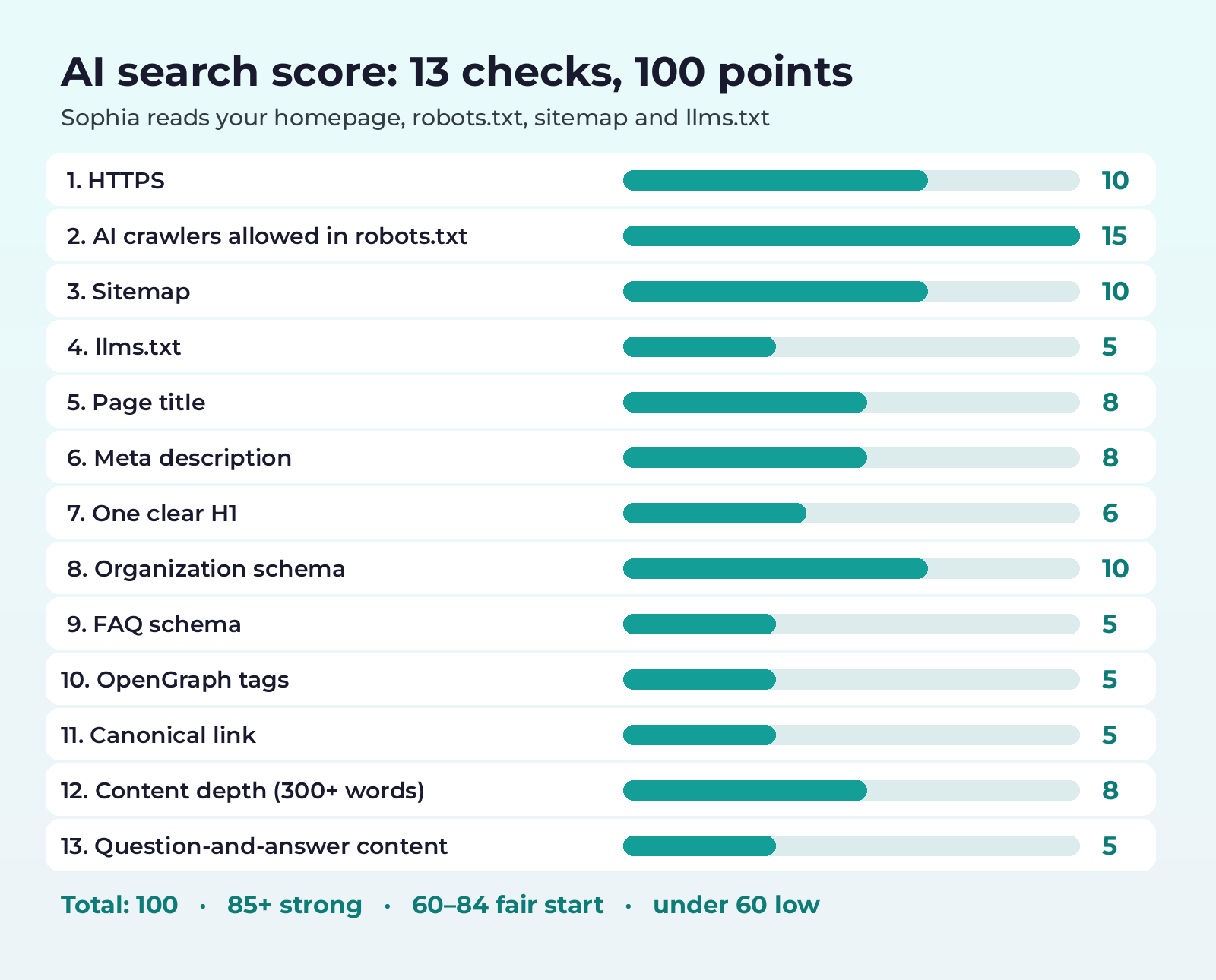
Sophia checks 13 signals that help AI tools find and understand your site. Each one carries set points, and together they add up to 100. Some checks give partial points, so a title or description that’s a little long still counts for something.
| Check | Points | How points are earned |
|---|---|---|
| Served over HTTPS | 10 | Your site loads securely over https |
| AI crawlers allowed in robots.txt | 15 | Minus 3 for each of GPTBot, ClaudeBot, PerplexityBot, Google-Extended and CCBot that’s blocked from your whole site |
| Sitemap | 10 | A sitemap.xml, or a Sitemap: line in robots.txt |
| llms.txt | 5 | A plain-text llms.txt file at the root of your site |
| Page title | 8 | 8 for 10 to 70 characters, 4 if it’s there but outside that range |
| Meta description | 8 | 8 for 50 to 170 characters, 4 if it’s there but outside that range |
| One clear H1 heading | 6 | 6 for exactly one H1, 3 for more than one |
| Organization schema | 10 | Organization, LocalBusiness or a similar business type in JSON-LD |
| FAQ schema | 5 | FAQPage JSON-LD |
| OpenGraph tags | 5 | An og:title and an og:description |
| Canonical link | 5 | A rel=canonical link |
| Content depth | 8 | 8 for 300+ words on your homepage, 4 for 150 to 299 |
| Question-and-answer content | 5 | An FAQ section, or 3 or more headings phrased as questions |
| Total (13 checks) | 100 |
She reads your homepage plus robots.txt, your sitemap and llms.txt. It’s a quick check of your front door, not a whole-site crawl, so make sure your homepage clearly says what you do and who you serve.
What does my AI search score band mean?
A score of 85 or higher is strong, 60 to 84 is a fair start, and under 60 is low. The band tells you how much work is left. The fixes tell you where to start: Sophia picks the 3 checks missing the most points, so the first fix is usually the biggest win.
Each fix comes in plain words, and you can ask Sophia to explain any of them, for example how to write a better meta description or what to put in llms.txt.
Should I let every AI bot crawl my website?
Not always, and this is where security comes in. The score checks five well-known AI crawlers: GPTBot, ClaudeBot, PerplexityBot, Google-Extended and CCBot. Some gather content to train AI models, while others help AI search tools find and cite pages. Blocking one from your whole site costs 3 points, but blocking only certain folders doesn’t cost anything.
Our advice as a security firm: decide on purpose. Allow the bots that help people find you, think about training access for content you’d rather keep, and keep private areas out of reach for every bot. robots.txt is a public request, not a lock, so protect anything sensitive with a login. Sophia can talk this through with you, or you can bring it to a free 30-minute call.
What happens if the scan doesn't work?
If Sophia can’t finish the scan, she tells you so and says she won’t guess a score. You never get a made-up number. Each request to your site gets up to 8 seconds, and the whole scan takes up to 15 seconds.
If the domain can’t be found, can’t be reached or isn’t a valid domain, she asks you to check the spelling and type it again. If your site times out or returns an error page, try again later or ask her general questions about AI search. A parked or for-sale page, or a homepage that isn’t a normal web page, still gets scored, usually low.
How often can I run an AI search score?
You can run up to 3 scans per chat and 10 per hour from the same IP address. When a scan succeeds, its result is reused for 10 minutes, so scanning the same site again right away gives the same score. Make your fixes, give them time to go live, then scan again.
Want help with your AI search fixes?
Sophia explains each fix, and our team can help you make them. Book a free 30-minute call with JR Secure Design, built on 25+ years in IT and cybersecurity, or email sales@jrsdi.com.
Want to go deeper first?
- Read our guide on how to rank in AI search.
- Learn what generative engine optimization (GEO) is and how it differs from SEO.
- See our guide on how to show up in ChatGPT and other AI answers.
More from Sophia
- Talk to Sophia, our free AI assistant, by text or voice.
- Plan AI agents for your business with Sophia: a private, hybrid or platform recommendation and a written build summary.
- Score your pitch deck out of 100 with the AI pitch deck analyzer.
AI search score FAQ
Is the AI search score free?
Yes. Sophia, our AI assistant, runs the AI search score at no cost on the JR Secure Design website, with no sign-up and nothing to install. Type your domain, get a score out of 100 and up to 3 fixes, and ask follow-up questions. For hands-on help, book a free 30-minute call with our team.
Does the AI search score show what ChatGPT says about my business?
No. The score checks whether your website gives AI tools the basics they need to read and understand it. It doesn’t look up or report what ChatGPT or any other AI tool says about your brand, and it can’t tell you where you’ll appear in an AI answer.
Which AI crawlers does Sophia check in robots.txt?
Sophia checks whether your robots.txt blocks GPTBot, ClaudeBot, PerplexityBot, Google-Extended and CCBot from your whole site. This check is worth 15 points, and you lose 3 points for each crawler that’s fully blocked. Blocking only certain folders doesn’t cost points.
What is llms.txt and does it affect my score?
llms.txt is a plain-text file at the root of your site that points AI tools to your most important pages. Sophia checks whether you have one, and it’s worth 5 of the 100 points. It’s a small file to add, and it pairs well with a sitemap and clear page titles.
Does a high AI search score guarantee I'll rank in AI search?
No. The score is a readiness checklist, not a ranking promise. It measures whether your site gives AI tools the basics they need. It doesn’t measure or guarantee where you’ll appear in any AI answer. Fixing low-scoring items gives your content a better chance of being found and understood.
Can I get my AI search score by email?
Yes, when email results are turned on you’ll see Email me my score after your scan. Sophia reads back the address you typed, asks you to confirm it, and asks for an optional mobile number. When you share your email or phone, our team gets your request so we can follow up.
Does Sophia scan my whole site?
No. Sophia reads your homepage plus standard files: robots.txt, your sitemap and llms.txt. That keeps the scan quick. Because the score is based on your homepage, make sure it has a clear title, description, one H1, schema and enough plain text to explain what you do.
Ready to see your AI search score?
Get your free score from Sophia in seconds, then talk through the fixes with our team.
Questions? Email sales@jrsdi.com or call (202) 892-7189.
Sophia is an AI assistant and can make mistakes. Her score is a readiness check, not a promise of placement in any AI answer. See our privacy policy.