A free template for small businesses.
- Free template
- Risk + readiness in one worksheet
- Aligned to the NIST AI RMF
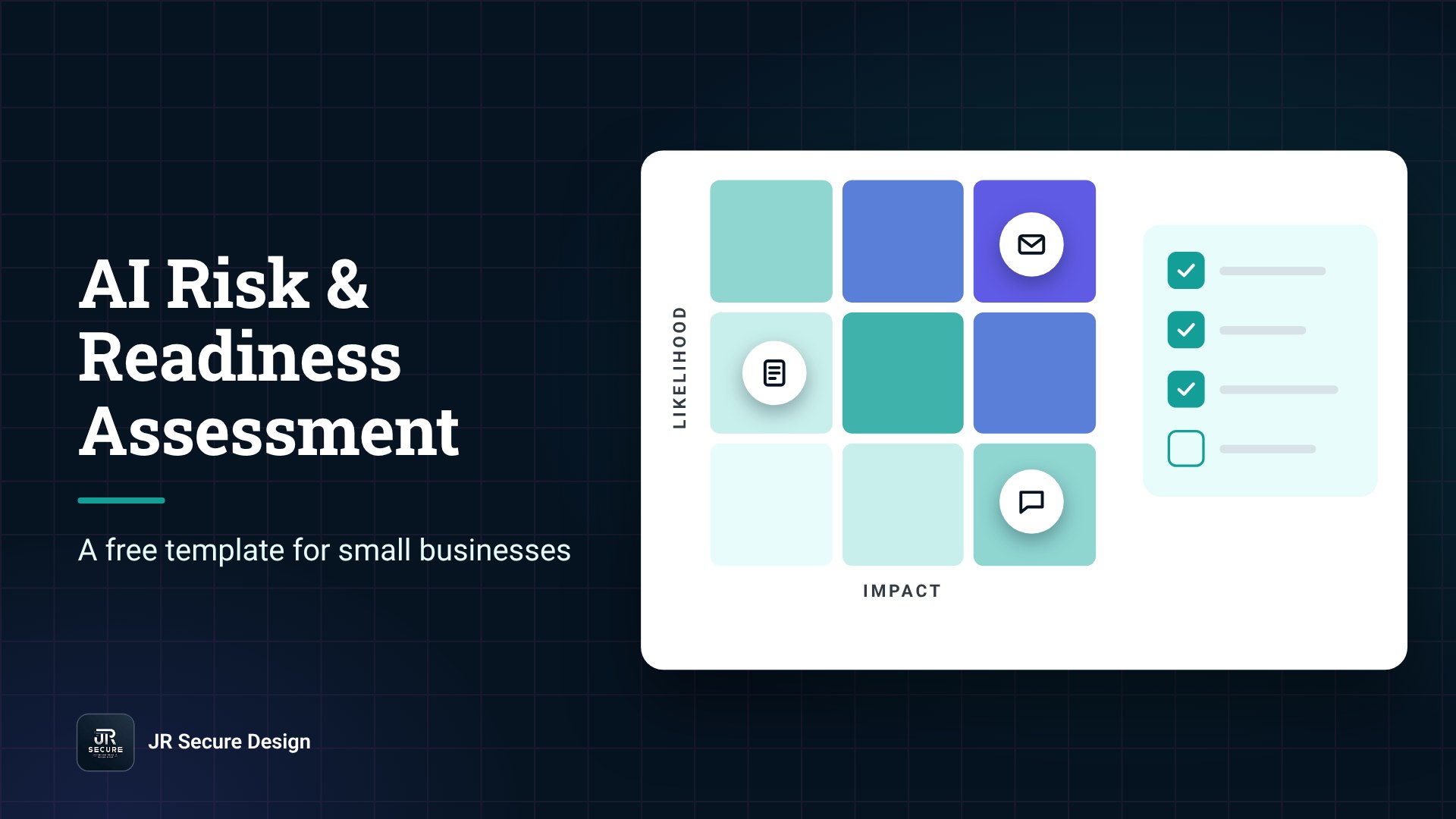
An AI risk assessment template is a simple worksheet that lists the AI tools your business uses, scores what could go wrong with each one, checks whether you are ready to use AI safely, and turns the gaps into an action plan. For a small business, you can finish a first pass in one working session.
Key takeaways
- An AI risk assessment asks two things for each AI tool: how likely is a problem, and how bad would it be?
- An AI readiness assessment asks whether your people, data, and policies are ready for AI at all.
- The free template below covers both: inventory, risk register, readiness checklist, and action plan.
- NIST’s AI RMF gives you the structure; your worksheet is where you apply it.
- Repeat it regularly and whenever you add a major AI tool.
Below you will find the template itself, a five-step way to fill it in, and answers to the questions small business owners ask most.
Want a second set of eyes on your AI risk assessment?
Talk with JR Secure Design.
What is an AI risk assessment?
An AI risk assessment is a structured review of the AI tools and AI features your business uses, to find what could go wrong and decide what to do about it.
NIST’s AI Risk Management Framework describes risk as “the composite measure of an event’s probability of occurring and the magnitude or degree of the consequences” (NIST AI RMF 1.0, NIST AI 100-1).
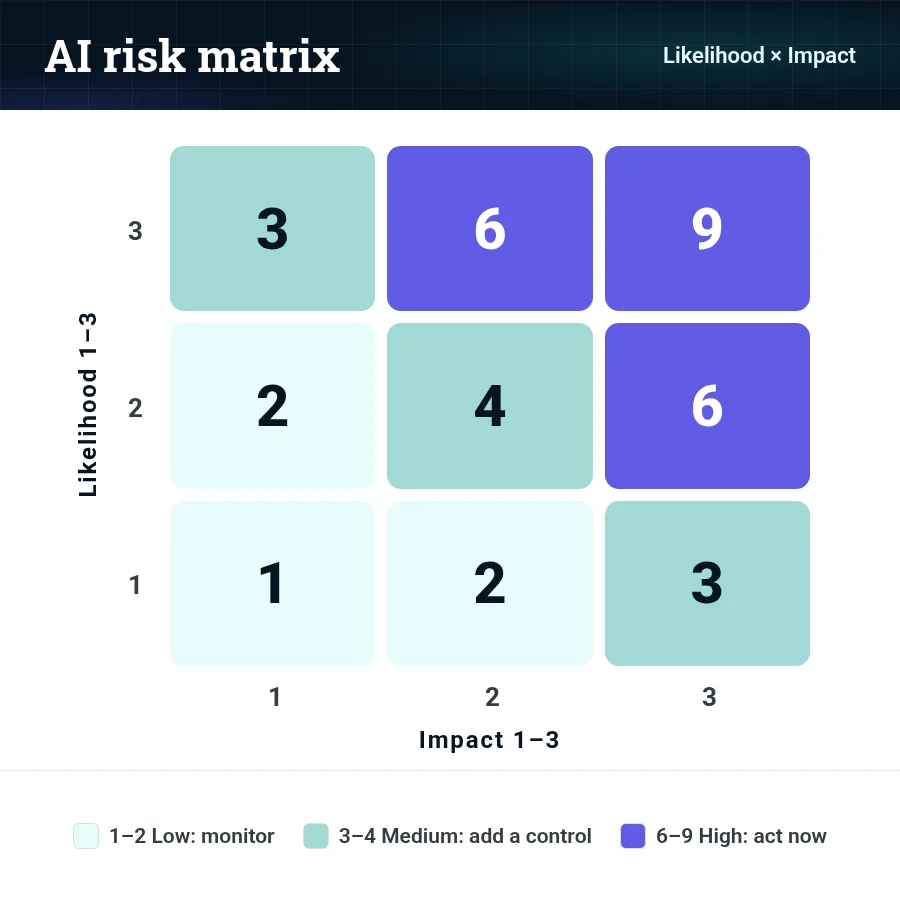
In plain English: risk = likelihood × impact. The template scores both on a simple 1–3 scale so anyone on your team can use it.
AI risk assessment vs. AI readiness assessment
The two get mixed up, but they answer different questions. Most small businesses need both, and the template combines them.
| AI risk assessment | AI readiness assessment | |
|---|---|---|
| Question it answers | What could go wrong with the AI we use? | Are we set up to use AI safely and well? |
| Looks at | Each AI tool or use case | The business as a whole: people, data, policies, accounts |
| Output | A scored risk register | A readiness score and a gap list |
| Best for | Tools already in use or about to be approved | Before a wider AI rollout, or when AI use has grown without a plan |
How to conduct an AI risk assessment in 5 steps

- Step 1 — List every AI tool in use. Include standalone tools (ChatGPT, Copilot, Gemini, AI note-takers) and AI features inside software you already pay for. NIST’s AI RMF calls for “mechanisms… to inventory AI systems” (GOVERN 1.6).
- Step 2 — Note the data each tool touches. Use three simple classes: Public, Internal, Sensitive (client records, financials, HR, health, legal, passwords).
- Step 3 — Score each risk. Rate likelihood and impact from 1 (low) to 3 (high) and multiply. A score of 6 or 9 is high and needs an owner and a date.
- Step 4 — Run the readiness checklist. Ten yes/no questions show where your accounts, policies, and training have gaps.
- Step 5 — Build the action plan and set a review date. Fix the highest scores first. NIST’s AI RMF recommends ongoing monitoring and periodic review, with the frequency defined by your organization (GOVERN 1.5).
QUICK CHECK: Pick the one AI tool your team uses most. Do you know what data goes into it, who approved it, and what happens if its output is wrong? If any answer is “not sure,” start your assessment there.
The free AI risk assessment template
Copy these four parts into a shared spreadsheet or document. A spreadsheet works best because you can sort by score.
Part A: AI inventory
| Tool / feature | Plan (business or personal) | Who uses it, for what | Data it touches | Connected to other systems? | Owner | Review date |
|---|---|---|---|---|---|---|
| Example: AI meeting note-taker | Business | Sales team, call summaries | Internal, some Sensitive | Calendar, CRM | Sales lead | Next quarter |
Part B: AI risk register
| Tool / use case | What could go wrong | Likelihood (1–3) | Impact (1–3) | Score (L × I) | Control in place | Action needed | Owner | Due |
|---|---|---|---|---|---|---|---|---|
| Example: staff using personal AI accounts | Client data pasted into accounts the business cannot see | 3 | 3 | 9 | None | Move to a business plan; AI policy | Owner | 30 days |
| Example: AI drafting client emails | Wrong facts sent to a client | 2 | 2 | 4 | Spot checks | Human review before sending | Office manager | This month |
Scoring guide: 1–2 = low (monitor), 3–4 = medium (add a control), 6–9 = high (act now, named owner and date).
Risks worth scoring for most small businesses (from NIST’s Generative AI Profile and the OWASP Top 10 for LLM Applications):
- Confabulation: confidently wrong answers (NIST AI 600-1).
- Data privacy: personal or client data exposed or misused (NIST AI 600-1).
- Information security: for example, prompt injection, ranked the top risk in the OWASP Top 10 for LLM Applications.
- Intellectual property: AI output that reuses protected content, or your own IP pasted into public tools (NIST AI 600-1).
- Shadow AI: tools nobody approved; see 5 signs shadow AI is already in your company.
Part C: AI readiness checklist
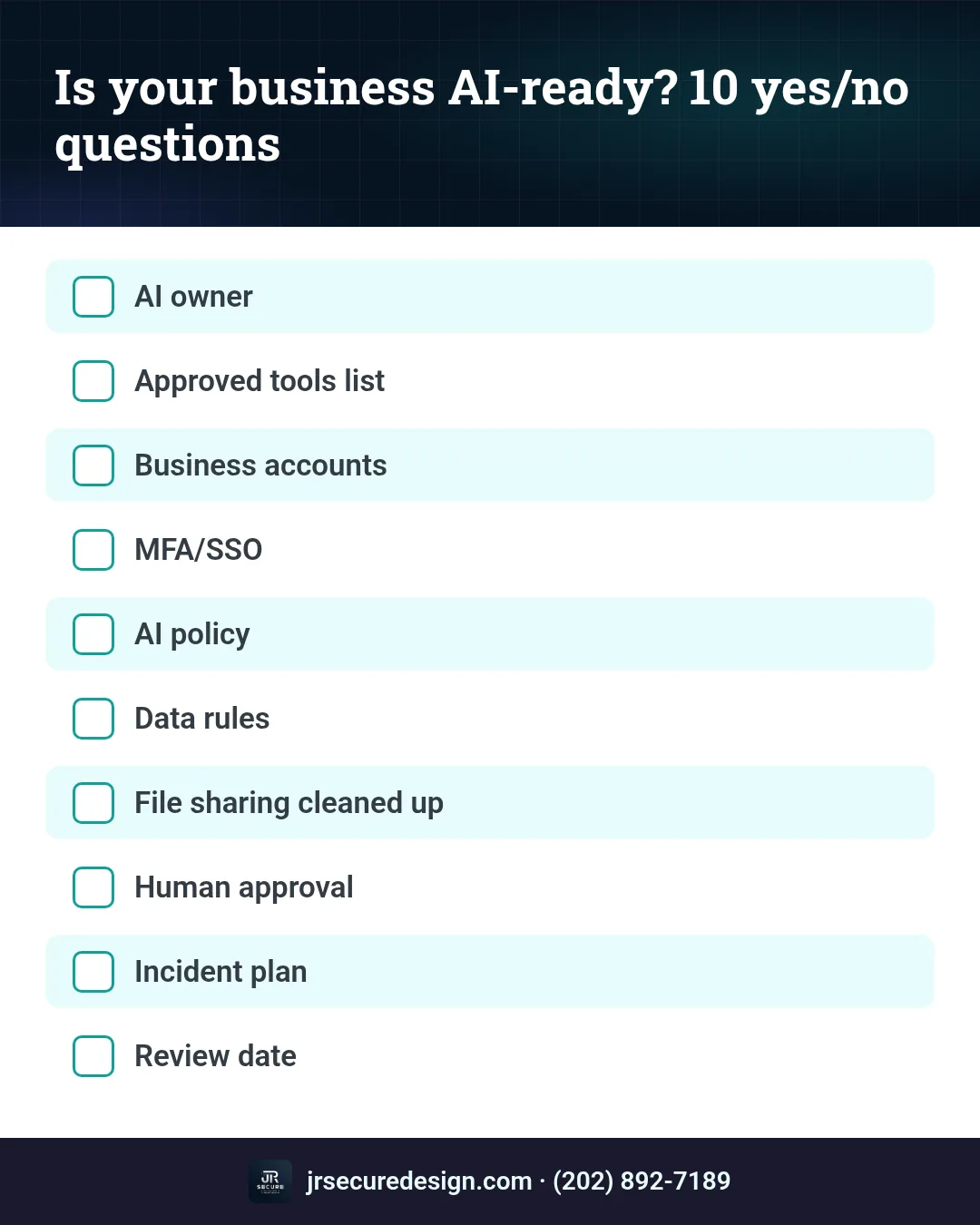
Answer yes or no. Every “no” goes into Part D.
- We have one named owner for AI decisions.
- We have a written list of approved AI tools.
- Work AI use happens on business accounts, not personal ones.
- Sign-in for AI tools uses company accounts with MFA (and SSO where available).
- We have a short AI acceptable use policy that staff have read.
- Staff know which data must never go into AI tools.
- File sharing has been cleaned up before AI assistants were connected.
- AI tools can only send, share, or pay with human approval.
- We know who to tell, and what to do, if AI data goes to the wrong place.
- We have a date on the calendar to review this assessment.
Part D: Action plan
| Gap or high risk | Fix | Owner | Due date | Done? |
|---|---|---|---|---|
| Example: no AI policy | Write and share a one-page policy | Owner | 2 weeks | |
WARNING: A spreadsheet is not a control. The template helps you see and rank your risks. It does not reduce them until someone owns each action and finishes it. Scores are your team’s judgment, not an audit.
Not sure how to score a tool your team already uses?
We can walk through it with you.
Is there a NIST AI risk assessment template?
NIST’s AI RMF is a framework, not a form. Its free resources give you the structure: the AI RMF itself, the AI RMF Playbook with suggested actions, and the Generative AI Profile.
The template above is aligned to the AI RMF’s Govern, Map, Measure, and Manage functions. NIST also publishes a crosswalk from the AI RMF to ISO/IEC 42001 if you want to see how the two line up.
Neither framework gives a small business a certificate for filling in a worksheet. Use “aligned to,” not “certified.”
For the wider set of controls, including access, deepfake fraud, and vendor checks, see our guide to AI security for small business. If the assessment shows you need AI that keeps data in your own environment, see private AI infrastructure for business.
Frequently asked questions
What is an AI risk assessment?
An AI risk assessment is a structured review of the AI tools your business uses to find what could go wrong and decide what to do. Each risk is scored by likelihood and impact, then assigned an owner, a fix, and a review date.
How do you conduct an AI risk assessment?
List every AI tool and AI feature in use, note what data each one touches, score each risk by likelihood and impact, run a readiness checklist, and turn the highest scores and gaps into an action plan with owners and dates. Then schedule a review.
Is there a NIST AI risk assessment template?
NIST’s AI RMF is a framework rather than a fill-in form. Its free resources, including the AI RMF Playbook and Generative AI Profile, provide the structure. Most small businesses build a simple worksheet aligned to the AI RMF’s Govern, Map, Measure, and Manage functions.
What is the difference between an AI risk assessment and an AI readiness assessment?
An AI risk assessment looks at each AI tool and asks what could go wrong. An AI readiness assessment looks at the whole business and asks whether people, data, accounts, and policies are ready for AI. Most small businesses benefit from doing both together.
How often should you do an AI risk assessment?
Review it regularly and whenever you add a major AI tool, change vendors, or have an AI incident. NIST’s AI RMF recommends periodic review with a frequency your organization defines. Many small businesses choose a quick quarterly check and a fuller yearly review.
What does an AI readiness assessment include?
A typical AI readiness assessment checks ownership of AI decisions, an approved tools list, business accounts with MFA, an acceptable use policy, staff training on sensitive data, file-sharing cleanup, human approval for AI actions, an incident plan, and a scheduled review.
Talk to JR Secure Design
Want a second set of eyes on your AI risk assessment?
JR Secure Design Inc. helps small businesses and nonprofits assess and reduce AI risk, from the tools staff already use to private AI. James DeCrescenzo brings 25+ years of experience, based in Fort Lauderdale, FL, and working with clients nationwide (remote). Our AI risk and readiness work is aligned to the NIST AI RMF and ISO/IEC 42001.
Or email sales@jrsdi.com.
Related reading: Free 30-Minute AI Setup Call: What Happens · AI Governance & Compliance for SMBs · AI Governance for Small Business · What Is Prompt Injection? · AI Security for Small Business · 5 Signs Shadow AI Is in Your Company · Private AI Infrastructure for Business · Is ChatGPT Safe for Business? · A Simple AI Governance Framework · JR Secure Design home