
Simple beats fancy.
- 8 common stack mistakes
- A quick stack check
- Free deck competition Oct 28
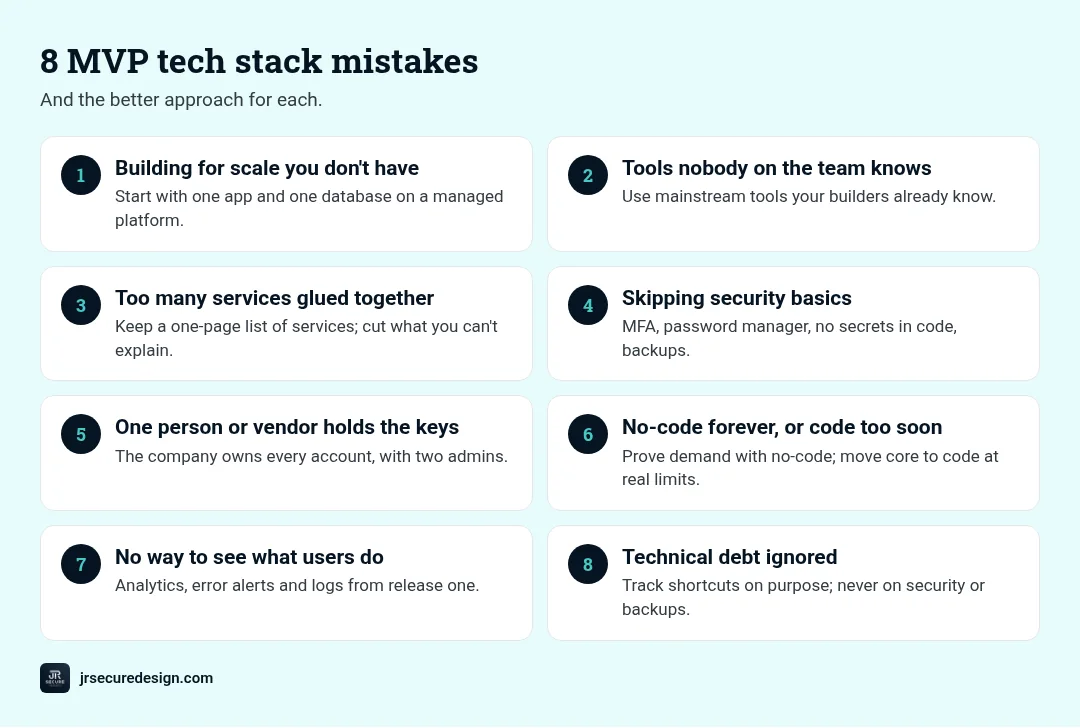
The MVP tech stack mistakes that slow pre-seed startups down most are: building for scale you don’t have, choosing tools nobody on the team knows, gluing together too many services, skipping security basics, depending on one person or one vendor, and leaving no way to measure what users do. The fix is usually simpler, not fancier.
Key takeaways
- Pick boring, well-supported tools your team already knows.
- Build for the next few months of users, not a future million.
- Fewer moving parts means fewer things to break and fewer bills.
- Security basics are cheap now and expensive later.
- Got a deck ready? Upload your PDF at jrsecuredesign.com/startups by Sunday, Oct 25 for our free online pitch deck competition.
The goal of an MVP is to learn what customers want as fast as possible. Your tech stack is the set of tools, languages, and services you build it with. A good stack gets out of the way. A bad one quietly eats weeks you don’t have. After 25+ years of building technology, these are the mistakes we see most often with early teams, and how to avoid them.
Want an experienced hand on your stack decisions?
Talk with JR Secure Design.
Mistake 1: Building for scale you don’t have
What it looks like: Microservices, Kubernetes, and multi-region setups before the first ten customers.
Why it slows you down: Every extra layer takes time to build, test, and fix. None of it helps you learn what customers want.
Better approach: Start with one simple app and one database on a managed platform. You can split things up later, when real usage tells you where the pressure is.
Mistake 2: Choosing tools nobody on the team knows
What it looks like: Picking a new language or framework because it’s popular, not because anyone has shipped with it.
Why it slows you down: Learning while building doubles the time and the bugs.
Better approach: Use what your builders already know well, as long as it’s widely used and well supported. Hiring and getting help are both easier with mainstream tools.
Mistake 3: Too many services glued together
What it looks like: A dozen SaaS tools and automations wired together, each with its own login, bill, and failure point.
Why it slows you down: When something breaks, nobody knows where. Costs creep up quietly.
Better approach: Keep a one-page list of every service, what it does, who owns it, and what it costs. Cut anything you can’t explain.
Mistake 4: Skipping security basics
What it looks like: Shared passwords, no multi-factor authentication, API keys pasted in code, production data copied into test tools, customer data pasted into public AI tools.
Why it slows you down: A leak or account takeover can stop a young company cold, and investors and enterprise customers ask about this early.
WARNING: Fixing security after launch is far harder than setting the basics on day one. Most basics cost little or nothing.
Better approach: Turn on multi-factor authentication everywhere, use a password manager, keep secrets out of code, give people only the access they need, back up your data, and decide which AI tools may touch customer data. Public guidance such as the OWASP Top 10 is a useful free starting point for web apps.
Mistake 5: One person or one vendor holds the keys
What it looks like: A freelancer owns the code repository, the cloud account, and the domain. Or the whole product lives inside one platform with no way to export data.
Why it slows you down: If that person leaves or the vendor changes terms, you’re stuck.
Better approach: Make sure the company owns every account, repository, and domain, with at least two admins. Know how you’d export your data if you had to.
Mistake 6: No-code forever, or custom code too soon
No-code tools are great for testing an idea quickly. Custom code gives you control. The mistake is treating either as all-or-nothing.
Better approach: Use no-code to prove demand. Move the core of the product to code when you hit real limits, like performance, cost, data control, or a feature the tool can’t do. Write down what would trigger that move.
Mistake 7: No way to see what users do
What it looks like: Launching with no product analytics, logs, or error tracking.
Why it slows you down: You can’t learn if you can’t see. Bugs go unnoticed until a customer complains.
Better approach: Add basic analytics, error alerts, and logs from the first release, and respect your privacy commitments when you do.
Mistake 8: Treating technical debt as all bad (or ignoring it)
Some shortcuts are smart at MVP stage. The mistake is not tracking them.
Better approach: Keep a short list of shortcuts you took on purpose and when you’ll revisit them. Never take shortcuts on security basics or data backups.
Not sure your stack will hold up to investor questions?
We can review it with you.
How your stack shows up in your pitch deck
Investors ask whether your team can build the product on your budget. A clear, simple stack is a strong answer. In one slide or section, cover what’s built today, who builds it, your stack in one line and why, your biggest technical risk, and how you protect customer data. Our guide to the slides investors expect shows where this fits, and Do You Need a CTO at Pre-Seed? covers who should own these choices.
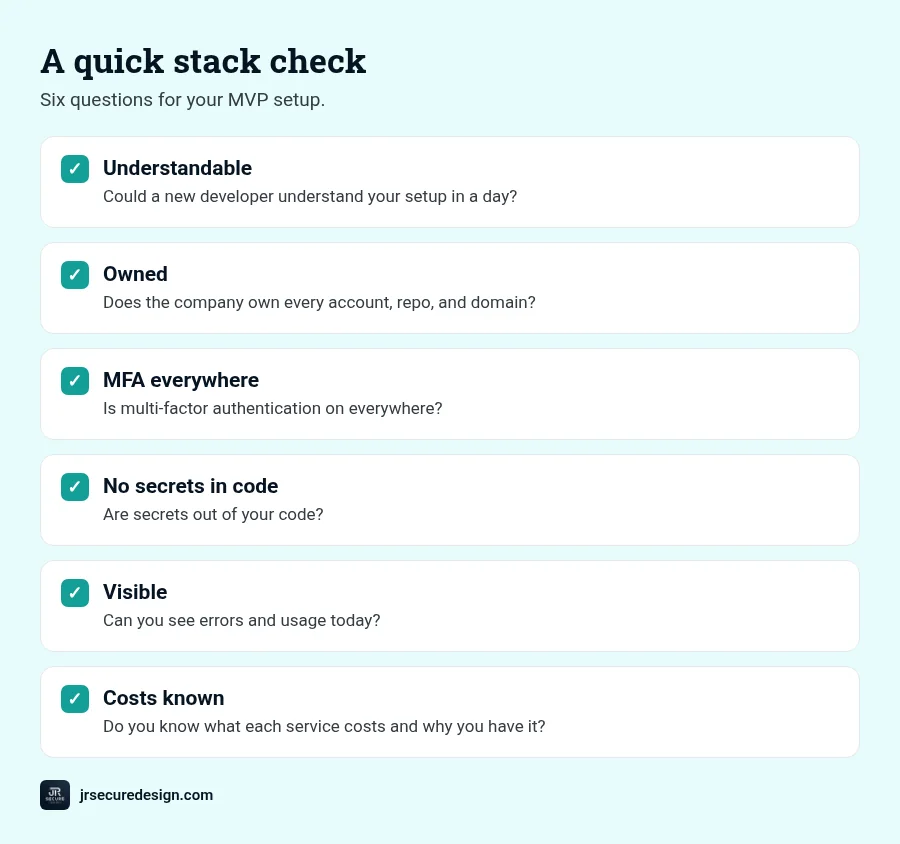
A quick stack check
- Could a new developer understand your setup in a day?
- Does the company own every account, repo, and domain?
- Is multi-factor authentication on everywhere?
- Are secrets out of your code?
- Can you see errors and usage today?
- Do you know what each service costs and why you have it?
Get feedback on your story and feasibility
JR Secure Design is hosting a free, online pitch deck competition on Wednesday, Oct 28 at 7 PM ET. Upload your pitch deck as a PDF at jrsecuredesign.com/startups by Sunday, Oct 25. Founders get feedback on story, feasibility, and investor readiness from C-suite advisors, and the winner gets James DeCrescenzo as a free advisor to their company. Our pitch deck submission guide shows how to upload.
Want an experienced hand on your stack decisions? Our Fractional CTO service can help.
Frequently asked questions
What is the best tech stack for an MVP?
The one your team already knows well, built on widely used, well-supported tools and a managed hosting platform. Simple and familiar usually beats new and fancy at MVP stage.
Should I build my MVP with no-code tools?
No-code is a good way to test demand quickly. Plan to move core parts to code when you hit real limits in performance, cost, data control, or features.
How much technical debt is OK in an MVP?
Some is fine if you take it on purpose and track it. Avoid shortcuts on security basics and backups.
What security does an MVP need?
At minimum: multi-factor authentication, a password manager, secrets kept out of code, least-privilege access, backups, and clear rules on which AI tools can touch customer data.
When should a startup rebuild its MVP?
When the current setup blocks growth, such as performance problems, rising costs, security gaps, or features you can’t build. Rebuild the parts under pressure rather than everything at once.
Ready to submit?
Built your MVP? Show investors it can scale securely.
Free, online pitch deck competition: Wednesday, Oct 28, 7 PM ET. Get feedback on story, feasibility, and investor readiness. The winner gets James DeCrescenzo (25+ years in technology and security) as a free advisor to their company.
Upload your pitch deck (PDF) at jrsecuredesign.com/startups by Sunday, Oct 25. Then call or book a 30-minute call.
Or email sales@jrsdi.com.
Related reading: Do You Need a CTO at Pre-Seed? · The Slides Investors Expect · What Is a Fractional CTO? · Startups at JR Secure Design
If you can think it, we can build it securely. Artificial Intelligence · Security · Applications · Hardware